
Delete Your SiratSync Account
Step-by-step instructions with a visual walkthrough for permanently deleting your account and all associated data.
How to Delete Your Account (In-App)
- Open the SiratSync app on your Android device.
- Tap on Settings from the bottom navigation or main menu.
- Scroll down to the Danger Zone section at the bottom.
- Tap on Delete Account.
- Review the warning dialog and confirm your deletion choice.
Google Sign-In Users
No password is required. You simply confirm the prompt. If your Google session has expired, Google will ask you to re-authenticate.
Email / Password Users
You will be prompted to enter your account password to confirm deletion as a security measure against unauthorized deletion.
App Screenshots Guide
Refer to these screenshots to quickly locate the Settings screen and the Delete Account option:
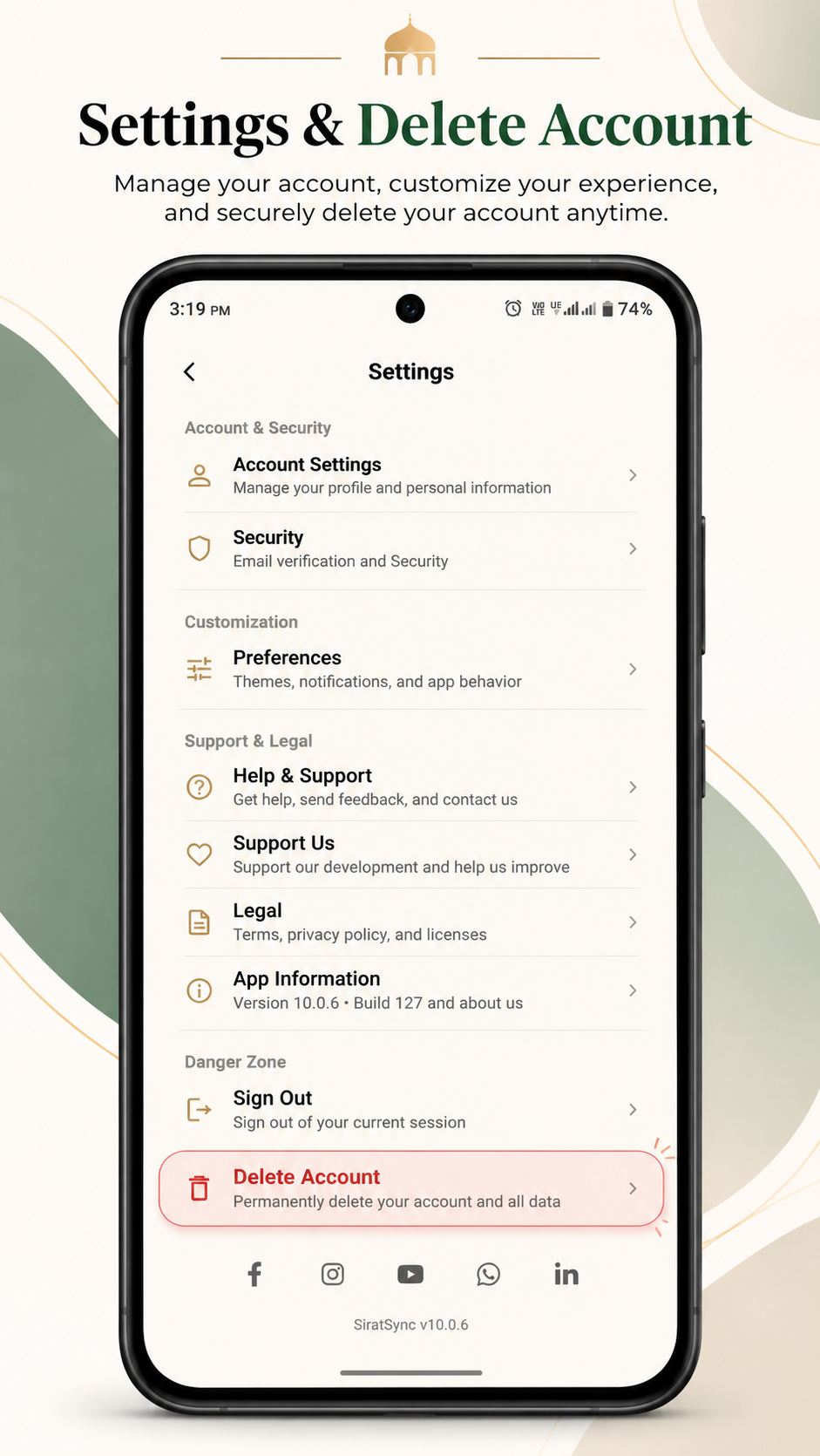 1. Settings → Danger Zone
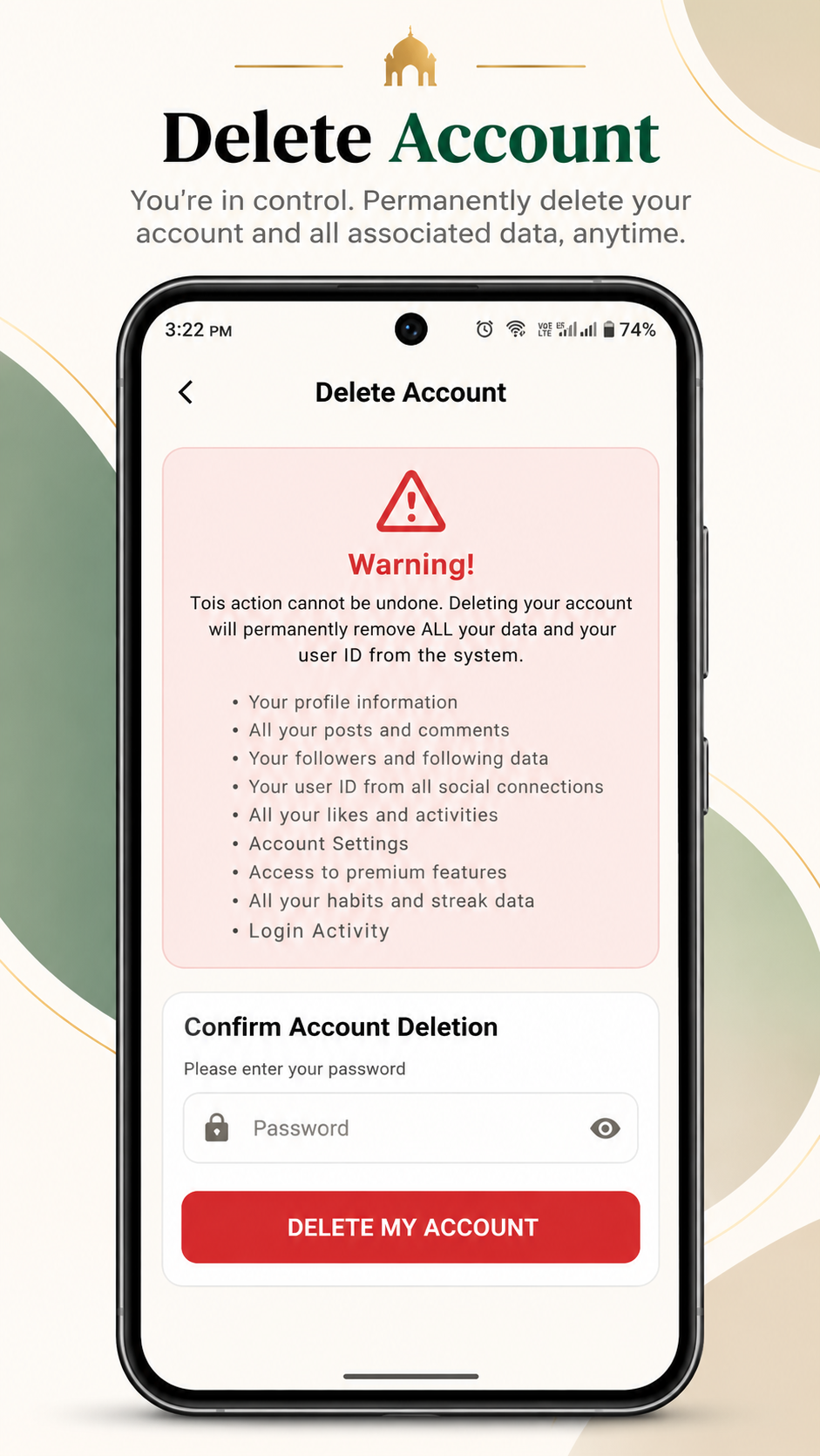 2. Confirmation Screen
What Happens to Your Data
When you trigger account deletion, the following data is permanently purged:
- Your complete user profile, display name, and authentication tokens
- All habit tracking records, streak histories, and completion logs
- All personal bookmarks, notes, and custom preferences
- Community posts and user interactions
- Associated cloud identifiers in Firebase
Note: To clear local cache and offline downloads stored on your phone hardware, you can also select "Clear Data" in your device's Android App Settings.
Consider Alternatives
If you simply need a pause or wish to reset your routine, consider these alternatives before permanent deletion:
- Take a break: You can uninstall the app and reinstall whenever you're ready; your cloud account will remain preserved.
- Reset streaks: You can reset habit progress from the habit tracker without closing your account.
- Mute notifications: Turn off prayer or habit alerts in the app settings to stop receiving push reminders.
Need Assistance?
If you cannot access your device or encounter an issue deleting your account, contact our support team directly and we will process the deletion for you.